


Pixlr has long been one of the most popular online photo editing tools, especially for users who want quick edits without installing software. However, as Pixlr has expanded into multiple products, including Pixlr Editor, Pixlr Background Remover, and Pixlr AI Super Scale, many users now find themselves searching for a more flexible Pixlr alternative.
If you’re looking for sites like Pixlr or reliable Pixlr alternative apps that better fit your workflow, this guide breaks down the best options by feature category, not just brand names.
When your main goal is cleaning images or enhancing quality, Aiarty Image Enhancer provides AI-powered denoising, upscaling, detail enhancement, object removal, color correction, face restoration, and more, ideal for product photos, portraits, or e-commerce images.
For users who want a Pixlr-style experience without paying, browser-based tools like Photopea replicate Pixlr Editor’s features, including layers, masks, and PSD support, all for free.
If you need advanced control in a web environment, Adobe Photoshop Online delivers professional-grade tools, non-destructive editing, and color accuracy, all from your browser.
Why Look for a Pixlr Alternative?
Pixlr remains a capable platform, but common reasons users search for alternatives include:
- Feature limitations in the free version
- Increasing reliance on credits or subscriptions, $9.99/month for 1000 monthly AI Credits (e.g., upscaling an image taks 5-10 credits based on the size)
- Weaker results for high-resolution image enhancement
- Different needs across editing, background removal, and AI upscaling
Because Pixlr is no longer a single-purpose editor, choosing the right Pixlr alternative depends on which feature you actually use.
Aiarty Image Enhancer (Best Pixlr AI Image Enhancement Alternative)
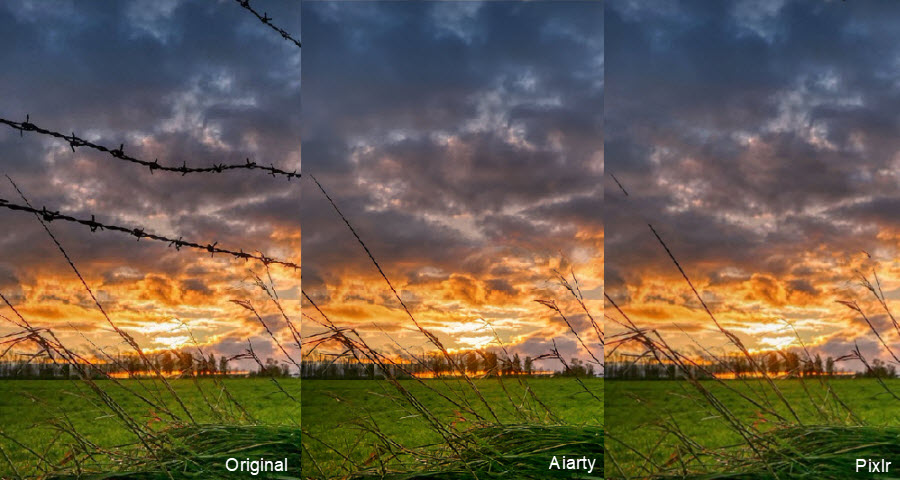
Aiarty Image Enhancer is a modern Pixlr alternative app that specializes in AI-driven image quality improvements. Unlike traditional editors, it focuses on automatic enhancement, upscaling, and noise reduction, producing clean, natural results. It’s an excellent alternative to Pixlr’s super scale, super sharp, object removal, generative fill, etc. Aiarty works especially well as a post-editing tool after using an online editor like Photopea or Photoshop Online. Its batch processing and offline mode make it practical for professional workflows.
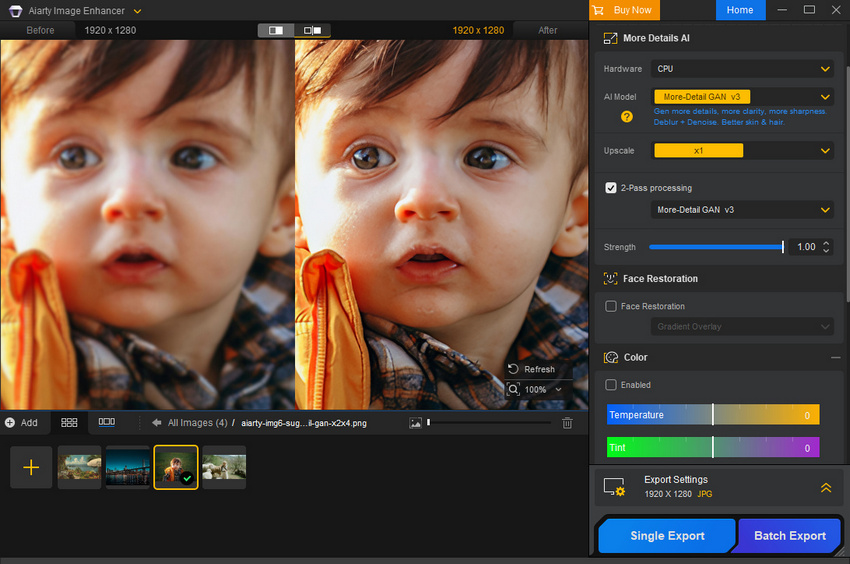
Main Features:
- AI super resolution upscales images to 32K.
- Reduce noise, blur, compression artifacts, etc.
- Correct color parameters like contrast, exposure, and more.
- Object removal and background reconstruction.
- Face restoration, detail and texture reconstoration.
Pricing: $99.00 for a lifetime copy for 3 devices.
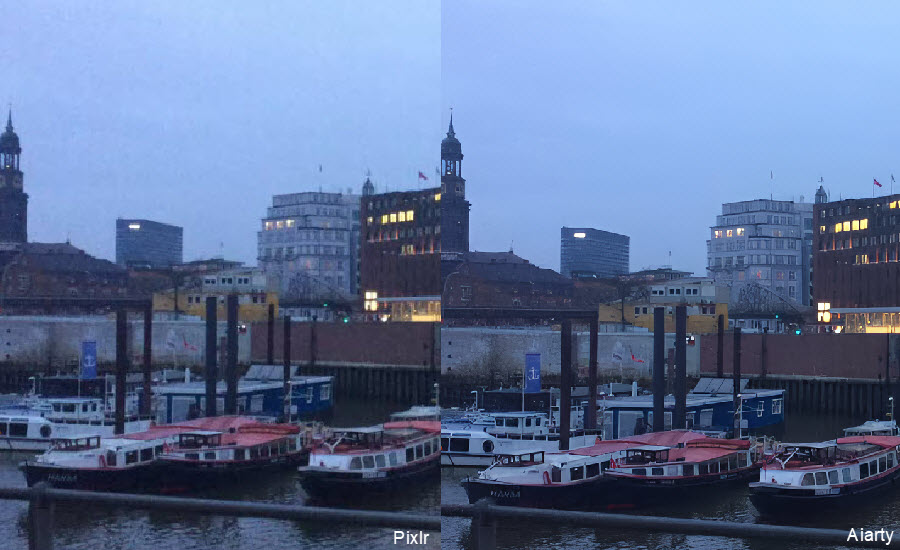
- AI-powered upscaling and denoising
- Background reconstruction
- Batch processing and offline support
- Works as a post-edit tool with other editors
- Not a full editing suite.
- Limited creative effects.
Adobe Photoshop Online (Professional Pixlr Editor Alternative Online)
Adobe Photoshop Online is among the most powerful Pixlr alternative sites online. It brings core Photoshop tools, including layers, masks, color correction, and non-destructive editing straight to the browser. Compared with Pixlr Editor, Photoshop Online offers deeper control and professional results. Because it’s part of the Adobe Creative Cloud ecosystem, edits sync with your desktop and mobile versions, offering a seamless workflow for professionals and serious hobbyists who need deeper control than Pixlr provides.
Check Pixlr vs Photoshop review
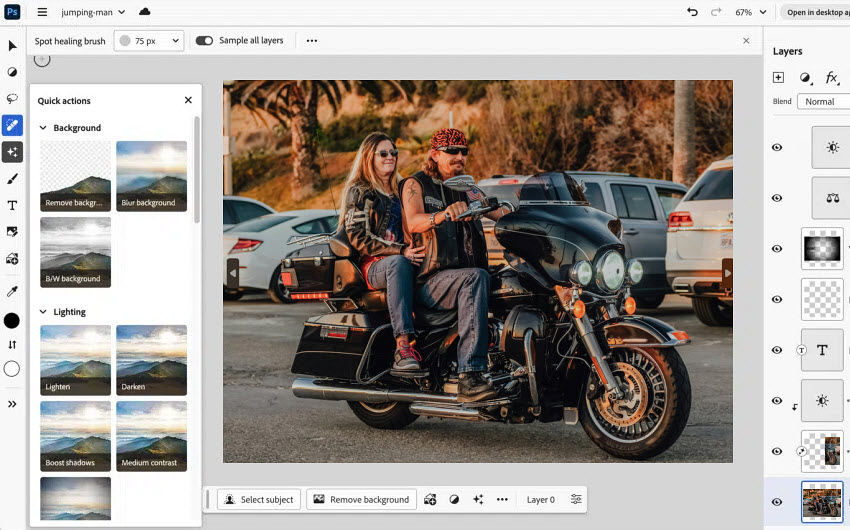
Main Features:
- Layer and mask supportfor precise, non‑destructive editing
- Advanced selection tools like Object Select and Quick Selection
- Color correction and retouching tools comparable to desktop Photoshop
- AI‑powered edits via Adobe Firefly integration
- Browser-based workflow
Pricing: $275.88/year for the Photoshop app
- Professional-grade feature set
- Non‑destructive editing and layers
- Integrates into Adobe Creative Cloud ecosystem
- Paid subscription required
- Steep learning curve for beginners
PicMonkey (Pixlr Alternative for Templates, Social Media & Quick Design)
PicMonkey is a strong Pixlr alternative for users who spend more time on social media graphics and marketing content than deep photo edits. Its drag-and-drop templates, filters, and text tools help non-designers produce engaging visuals quickly. Its template library and design workflow mean you spend less time learning menus and more time producing sharable content, a key reason many small business owners and social media managers switch from Pixlr to PicMonkey.
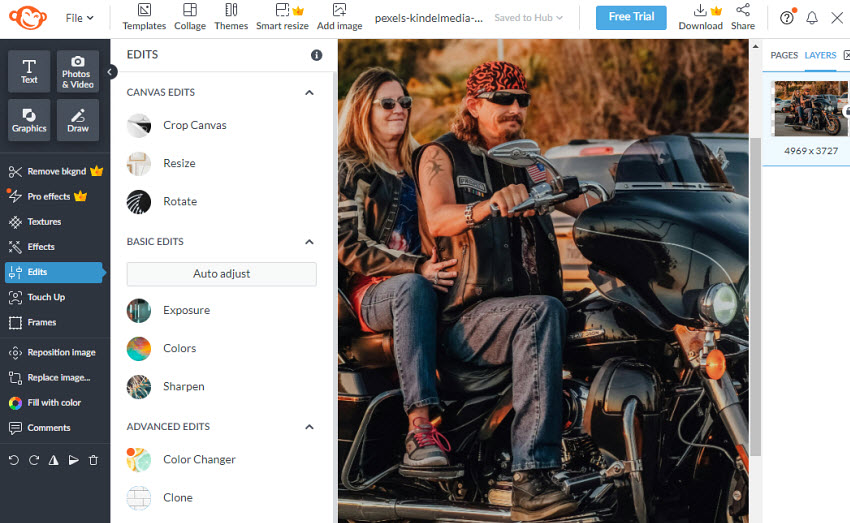
Main Features:
- Pre‑built templates and presets tailored for social platforms and campaigns
- Filters, overlays, and text tools for quick customization
- Collage creator for multi‑photo layouts
- Easy export to social formats with optimized sizing and compression
- Optional background remover and brand kit on higher plans
Pricing: 7-day free trial, the basic plan priced at $72.00/year
- Very intuitive and beginner‑friendly
- Great for social visuals
- Real-time template editing
- Less powerful than Pixlr for fine-tuned edits.
- Some features behind a paywall.
GIMP (Best Free Pixlr Alternative App for Advanced Editing)
GIMP is one of the most respected free Pixlr alternatives if you’re willing to move to a desktop environment. As a free and open‑source image editor, it offers professional‑level tools comparable to paid software like Adobe Photoshop, making it significantly more powerful than Pixlr’s web‑based editor in terms of depth and flexibility. While the interface can feel dated and the learning curve is steeper than Pixlr’s, GIMP’s comprehensive toolset and zero cost make it an attractive free alternative to Pixlr for serious editing.
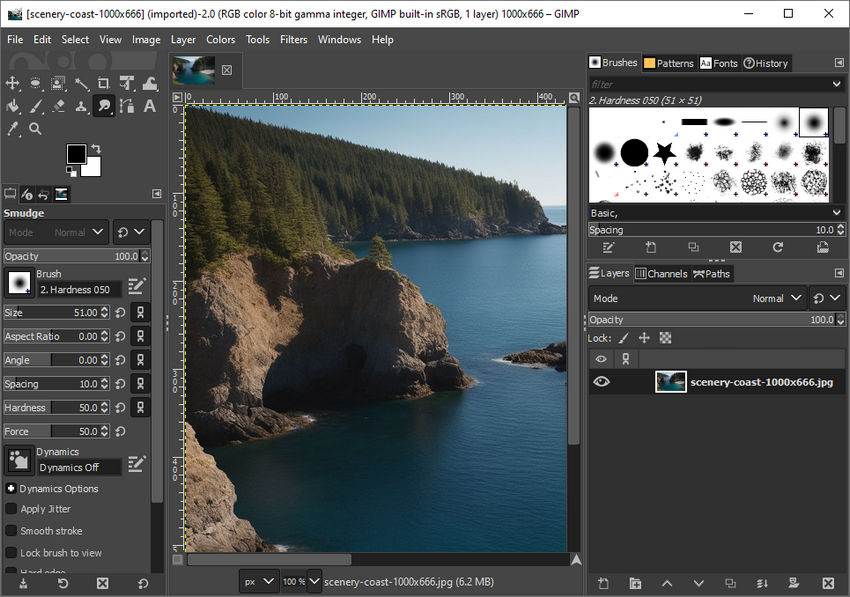
Main Features:
- Layers, masks, and paths for precise editing and compositing
- Advanced retouching tools including clone, heal, and transform
- Extensive plugin ecosystem for extra effects and workflow customization
- Cross‑platform support on Windows, macOS, and Linux, with community extensions available
Pricing: Free and open source for Windows, macOS, Linux.
- Completely free and open source
- Powerful editing capabilities
- No save limitations like Pixlr’s free plan
- Interface can feel dated
- Steeper learning curve for beginners
- No built-in AI tools like Pixlr’s automatic enhancements
BeFunky (Simple Site like Pixlr for Quick Online Editing)
Many users look for sites like Pixlr when Pixlr’s free experience becomes restrictive or technically overwhelming. BeFunky answers this. BeFunky is a beginner-friendly free Pixlr alternative site best for casual users who want fast edits like cropping, filtering, or collage making. It doesn’t offer the depth of Pixlr Editor or Photoshop but shines when you need quick fixes or fun visuals without complex tools or steep learning curves. If you found Pixlr’s interface too technical or overwhelming, BeFunky offers a more approachable alternative.
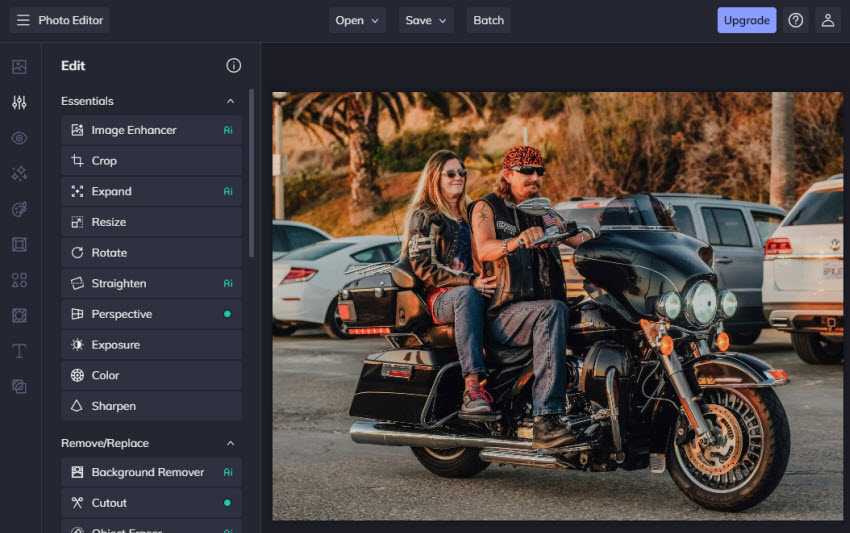
Main Features:
- One-click filters and effects
- Collage tool with customizable layouts
- Basic photo editing
- Simple UI
Pricing: Free plan with limited editing tools, and Premium starts from $83.88/year.
- Easy to use
- Free tier available
- Quick results
- Good collection of effects, templates, and design assets
- Limited advanced tools
- Premium features behind subscription
Photopea (Best Free Online Pixlr Editor Alternative)
Photopea is a browser-based editor that many users call one of the best free sites like Pixlr. It provides a Photoshop-like experience with layers, masks, smart objects, and PSD support, all without installation. Because Photopea seamlessly handles complex formats that Pixlr sometimes struggles with, and doesn’t lock most tools behind unpredictable paywalls, it’s a favorite choice for users making the switch from Pixlr Editor to a more capable online alternative. For many editors, Photopea bridges the gap between light online editors and professional desktop software.
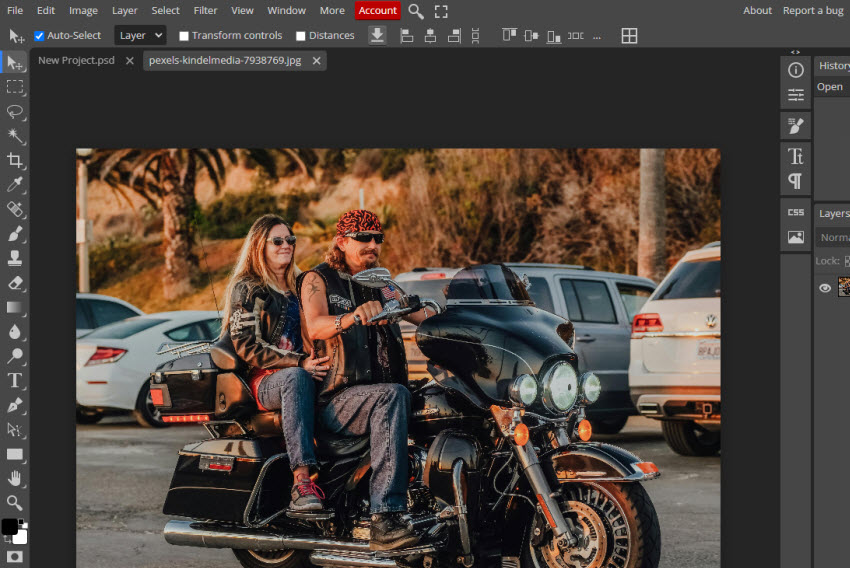
Main Features:
- PSD and multiple file format support
- Layers, masks, and paths
- Smart objects and blending modes
- Works entirely in browser
- Export to PSD, JPEG, PNG, SVG, and more
Pricing: Free with ads; ad-free $50/year removing ads and adding storage.
- Full editing tools available for free
- No installation needed
- Supports advanced formats and Photoshop workflows
- Ads in free mode
- Some AI features require paid plan
Fotor (AI-Powered Pixlr Alternative for Fast Photo Enhancement)
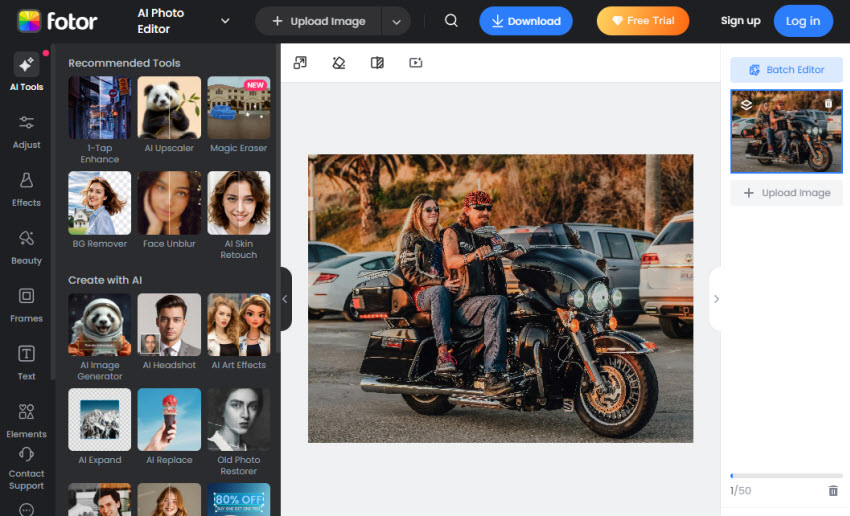
Fotor is a versatile Pixlr alternative site that blends basic manual tools with AI enhancements such as automatic adjustments and background removal. It’s great for users who want to quickly polish photos without the deep technical steps required in Pixlr. Fotor’s strength lies in its AI auto-enhance and batch editing features, which help speed up workflows, particularly for large photo sets. Therefore, Fotor is a good online Pixlr alternative sites for those looking for a fster, more automated editing experience.
Main Features:
- AI photo enhancement for one‑click improvements
- AI background remover and AI replace functions
- Batch editing and batch background removal
- Templates, effects, and design tools
- Cross‑platform web access with cloud storage options
Pricing: Free tier with basic editing features; Pro plans start at $47.99/year.
- Easy to use
- AI tools simplify edits
- Cross-platform support
- Less control than full editors like Pixlr
- Some tools behind paywall
Adobe Lightroom Web (Pixlr Alternative for Photo Editing & Color Control)
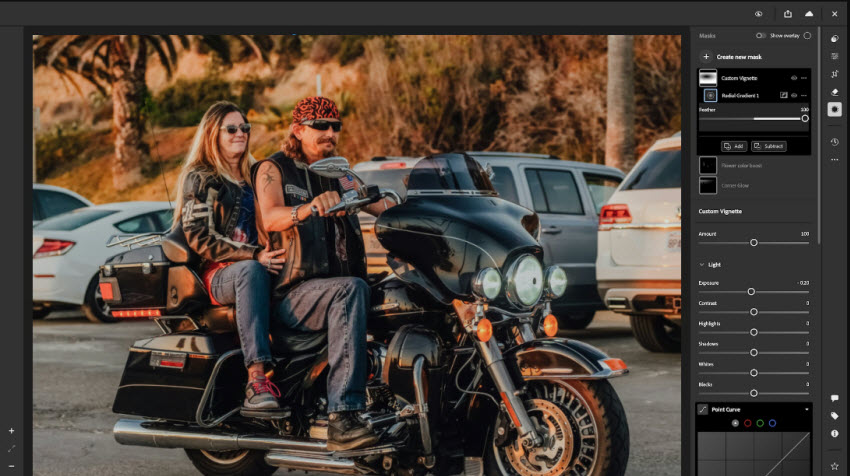
Lightroom Web is an alternative to Pixlr online tailored for photographers who need robust photo enhancement and organization tools. Unlike Pixlr, which combines editing with design, Lightroom emphasizes non-destructive editing, color grading, and RAW processing that ensures consistent, high-quality output across many images. It’s one of the most capable Pixlr alternative sites for professional-level photo management and color grading.
Main Features:
- Comprehensive RAW photo editing and exposure control
- Non‑destructive workflow preserves originals while editing
- Advanced color correction and grading tools
- Cloud sync across devices for streamlined photo management
- AI‑assisted tools like object selection and distraction removal
Pricing: Starts from $119.88/year for Ligthroom alone.
- Powerful photo processing
- Great for batch edits
- Sync across devices
- Not a graphic design tool
- Subscription required
Canva (All-in-One Design-Focused Pixlr Alternative Site)
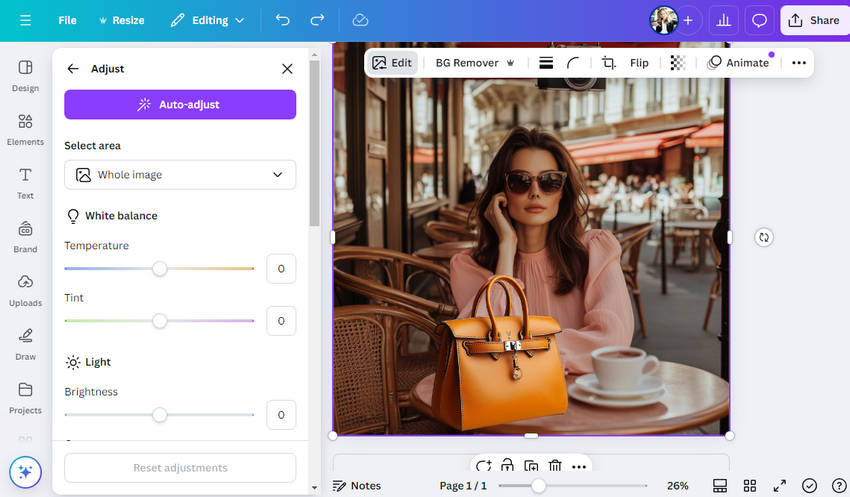
Canva is one of the most popular sites like Pixlr for visual content creation. While Pixlr focuses on photo manipulation, Canva combines editing with templates, design layouts, and collaboration tools, making it extremely useful for social media managers, marketers, and teams. Canva’s AI features (like Magic Edit and Magic Eraser) help bridge creative design with quick edits. Canva is not as powerful for pixel‑level photo edits, but for anyone creating banners, social posts, presentations, or web graphics, it offers a far broader design toolkit.
Main Features:
- Drag‑and‑drop design templates and layouts
- Massive library of elements, fonts, and stock visuals
- AI‑assisted tools like background removal and Magic Edit
- Brand kits and team collaboration for consistency and workflow
Pricing: Free tier with limited features and resources; Pro priced at $120/year.
- Huge template and design resource collection
- Easy for beginners and teams alike
- Real-time collaboration
- Limited advanced photo editing
- Pro subscription needed for best tools
Picsart (Creative Pixlr Alternative with AI Tools & Mobile Support)
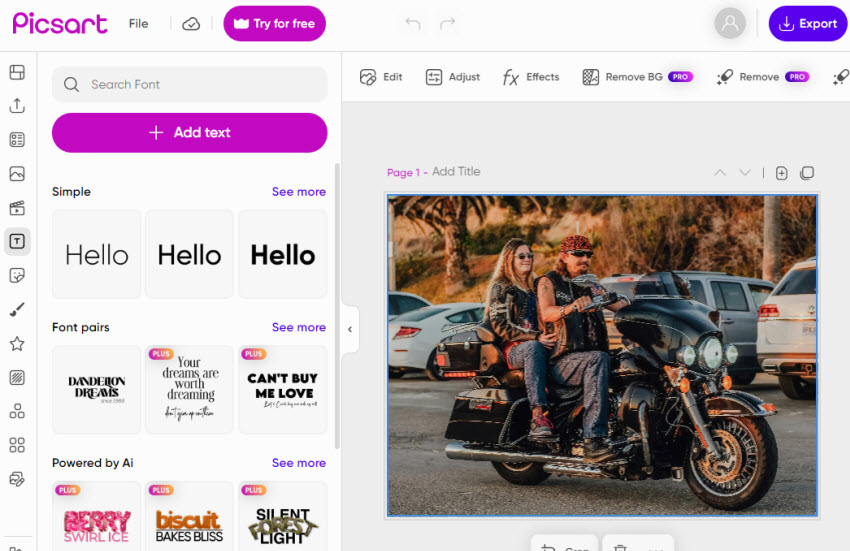
Picsart is a cross-platform Pixlr alternative site and app with a strong user base (~150M monthly users). It blends photo editing, video editing, AI tools, and creative templates, making it versatile for both technical edits and social content design. Compared with Pixlr’s focus on photo editing, Picsart provides AI-powered tools, background removal, generative effects, and mobile-friendly workflows, ideal for creators who work across platforms.
Main Features:
- AI background removal and replacement
- Generative AI image tools
- Photo and video editing
- Templates, fonts, stickers
Pricing: Free tier with limited features and credits; Plus is $78/year, Pro is $63/year.
- All-in-one creative suite
- Strong AI tools
- Works on web & mobile
- Advanced features behind paid tiers
- Free features limited
Pixlr Alternatives Comparison Table
Before choosing the right Pixlr alternative, it’s important to see how the top tools compare across features, platforms, and pricing. This comparison will help you quickly identify which Pixlr alternative fits your workflow, budget, and editing needs.
Which Is the Best Pixlr Alternative?
Choosing the right Pixlr alternative depends on your editing goals, workflow, and the type of content you create. You may consider the factors like:
- Workflow: Do you prefer browser-based tools, desktop apps, or mobile solutions?
- Complexity of Edits: Are you doing quick fixes, social media graphics, or professional-grade editing?
- Budget: Free tools like Photopea and GIMP are great, but paid plans often unlock AI tools, templates, or advanced features.
- AI Features: If your priority is enhancing image quality or batch processing, Aiarty Image Enhancer or Fotor Pro can significantly speed up your workflow.
Based on the above factors, below are the take takeways for the best Pixlr alternatives:
- Quick Online Edits: Use Photopea, Canva, or Fotor for fast, browser-based editing with layers, templates, or AI auto-enhancement, ideal for a Pixlr-style online workflow.
- Social Design & Templates: Canva and Picsart offer templates, AI tools, and collaboration features, perfect for social media content and marketing graphics.
- Desktop Power Editing: Switch to GIMP (free) or Affinity Photo (paid) for full desktop control, advanced retouching, and precise edits beyond Pixlr Editor.
- AI-Assisted Quality Boosts: Aiarty Image Enhancer and Fotor Pro provide AI denoising, background removal, and upscaling for product photos, portraits, or bulk edits, offering a Pixlr alternative with advanced AI tools.
 FAQs
FAQs
Yes, Pixlr offers a free version, but it comes with limitations such as ads, restricted exports, and locked features. Because of these limits, many users look for free Pixlr alternatives or sites like Pixlr that provide more consistent access to editing tools.
It depends on your use case. Pixlr is better for photo-focused editing with layers and manual controls, while Canva excels at templates, layouts, and quick designs. For users who prioritize social media graphics, Canva is often a better Pixlr alternative site, whereas Pixlr suits users who need more direct photo editing.
For advanced editing, yes. GIMP is a powerful, free desktop Pixlr alternative offering full control with layers, masks, and plugins. However, Pixlr is easier to use and works entirely online. Users who want professional-level edits without subscriptions often switch from Pixlr to GIMP.
Photopea is often considered one of the best Pixlr Editor alternatives online, especially for free users. It supports PSD files, layers, and advanced tools directly in the browser, with fewer restrictions than Pixlr’s free plan. Pixlr may feel simpler, but Photopea offers more professional flexibility.
You May Also Like


This post was written by Brenda Peng who is a seasoned editor at Digiarty Software who loves turning ordinary photos into extraordinary works of art. With AI assistance for brainstorming and drafting, the post is reviewed for accuracy by our expert Abby Poole for her expertise in this field.
